
New to Jira or Discord?
Welcome to Discord for Jira - the app that links your favorite issue-tracking tool directly to Discord. If you're tired of jumping between Jira tabs, emails, and Discord chats (or if you're just looking to simplify your workflow), we've got your back.
First things first: What's Jira?
Jira is Atlassian's tool for managing projects, tasks, and bugs. Software devs, support teams, and project managers around the world rely on Jira - it keeps everything tidy, clear, and under control.
💡 Quick fact: Over 300,000 companies worldwide trust Jira. Yep, that's a lot of bugs squashed!
Discord - Not Just for Gamers
Discord started as the go-to app for gamers, but quickly became the place to collaborate for teams, businesses, and communities. It's fast, easy to use, and makes work conversations feel less like...work.
💬 Did you know? Discord now has over 500 million users. Clearly, they're doing something right!
Why combine Jira and Discord?
Individually, they're great. Together, they're legendary:
- Stay updated instantly: Jira issues, comments, and status changes drop right into Discord.
- Support just got easier: Customers or team members can submit and track tickets without leaving Discord.
- Easy issue creation: Create Jira issues directly from Discord with handy slash commands.
- Discuss issues easily: Start direct discussions about Jira issues in Discord threads without leaving Jira.
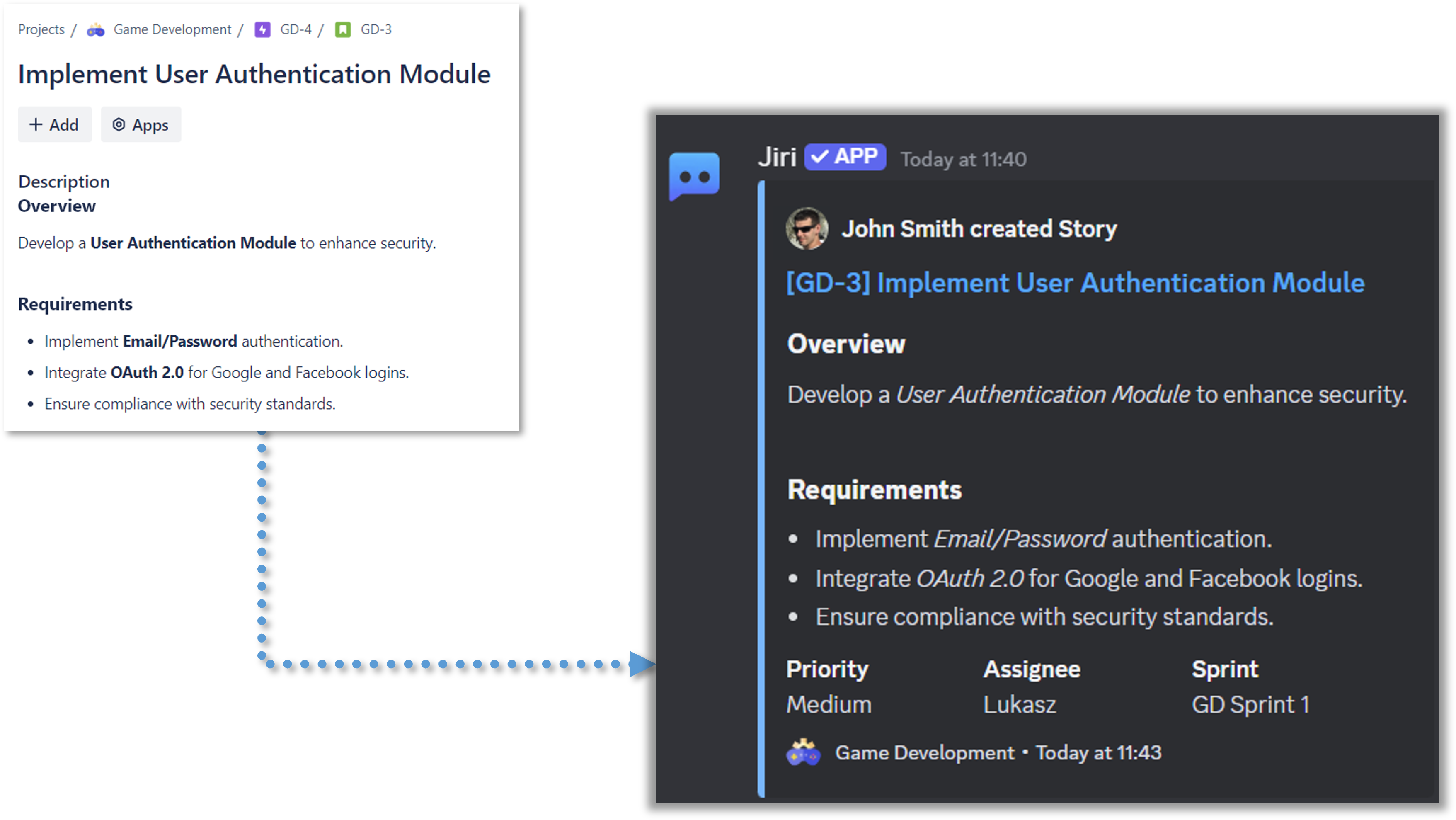
Key Features
Discord for Jira brings your Jira workflow directly into Discord:
- Get instant notifications when issues are created, updated, or commented on
- Create Jira issues with simple slash commands right from Discord
- Set up support tickets that your team can manage without leaving Discord
- Discuss issues in organized Discord threads linked to Jira
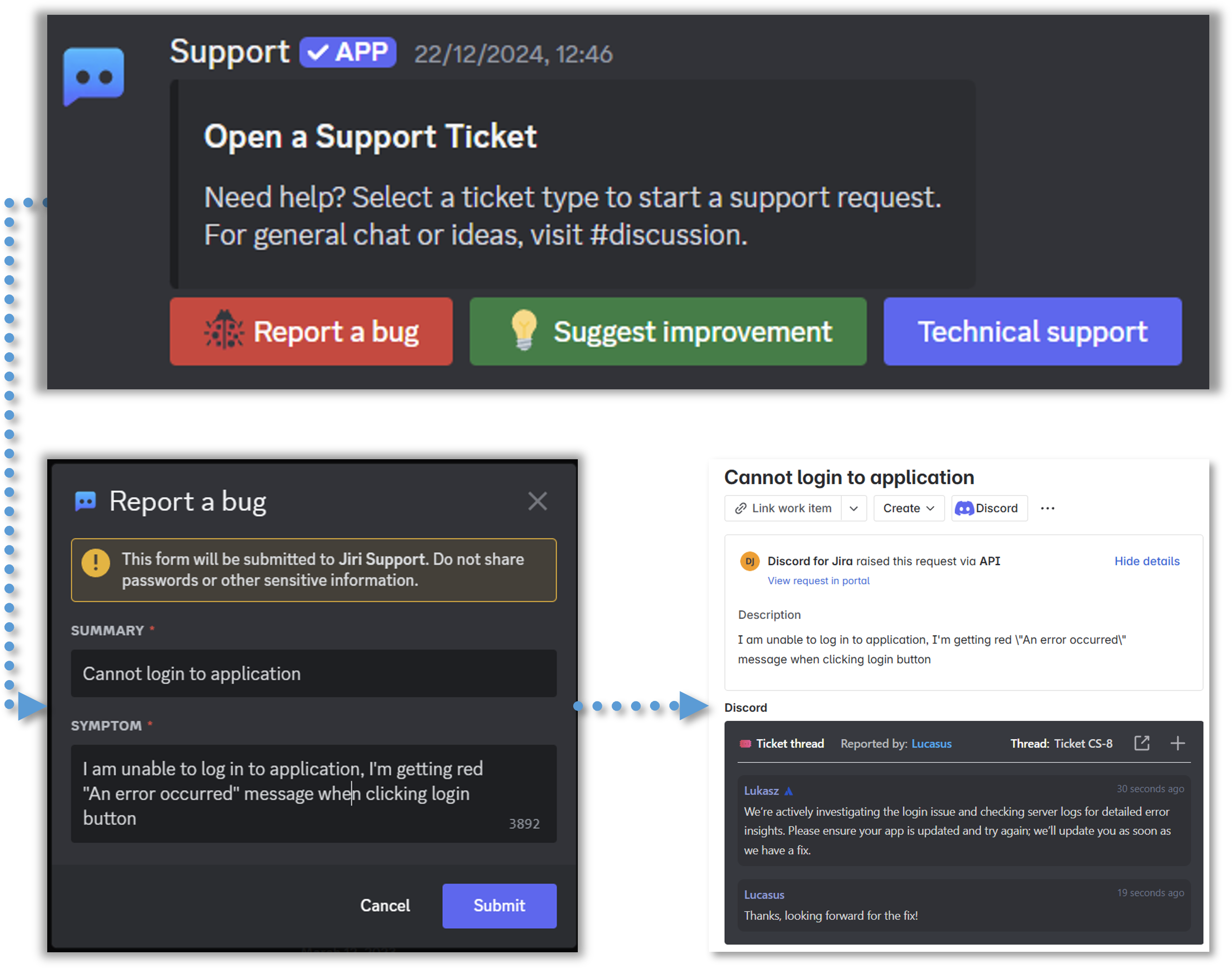
Meet Jiri, your friendly bot sidekick 🤖
Discord for Jira comes with a helpful bot named Jiri. Invite Jiri to your Discord server, and it'll handle updates, listen for commands, and keep things flowing between Jira and Discord without any fuss.
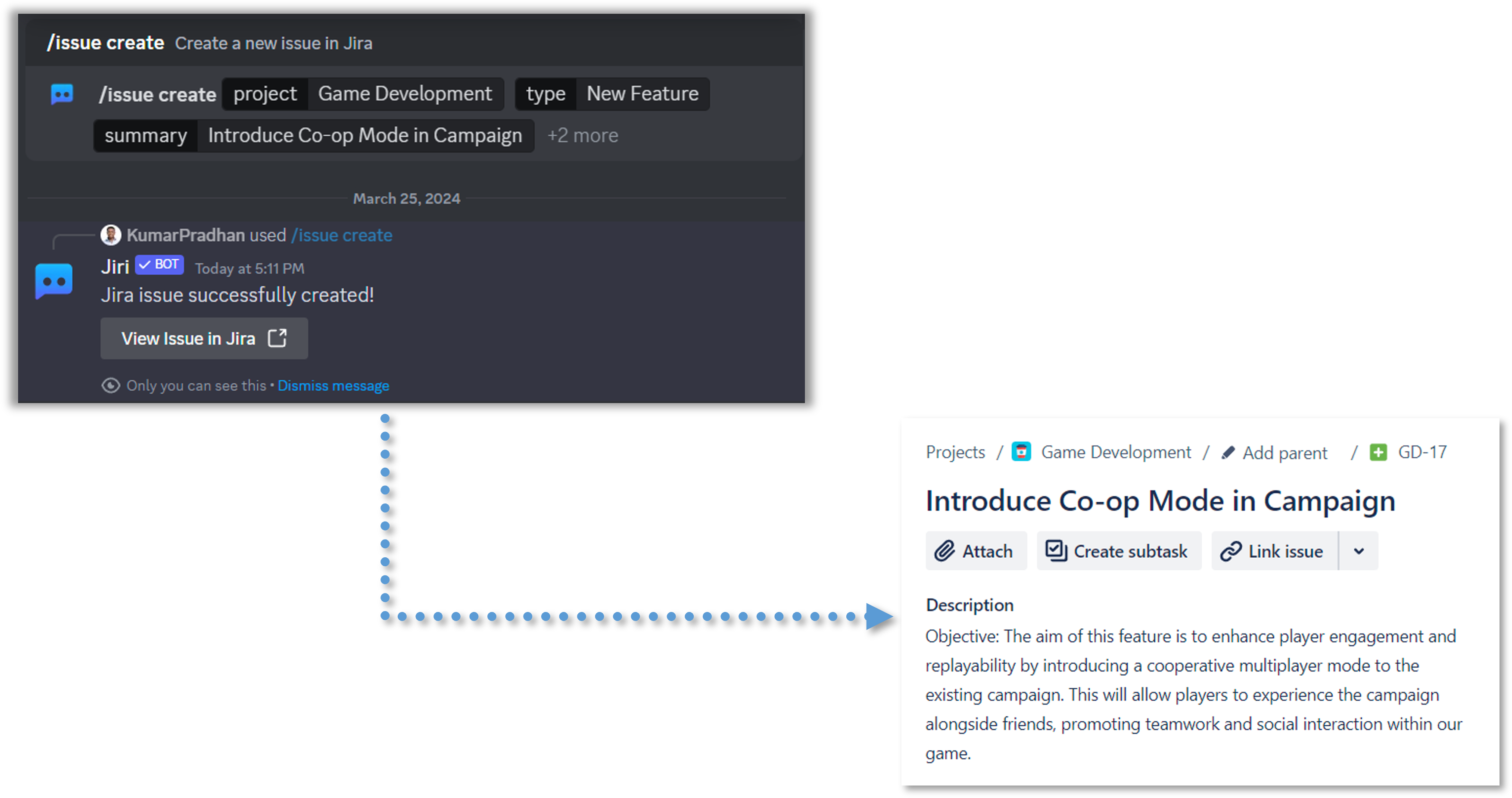
Ready to Get Started?
Setting up Discord for Jira takes less than 10 minutes. Our Getting Started guide walks you through everything - from installing the app to sending your first notification.
New to Jira? No problem! The guide includes steps for creating your first Jira site (it's free for up to 10 users).
New to Discord? We've got you covered with Discord server setup instructions too.
Have questions? Join our Discord for Jira Community - we're here to help!