
Manage Tickets as Reporter
You've submitted a ticket - awesome! Here's a quick guide on how to easily track and interact with your support tickets right from Discord.
📩 After Creating Your Ticket
Once you've submitted your ticket, here's what to expect:
- You'll immediately get a confirmation message in Discord with your ticket ID (like
SUPPORT-123). - Discord automatically creates or reuses a discussion for your ticket conversation.
Keep an eye on your ticket discussion - support will use it to chat with you and ask any follow-up questions.
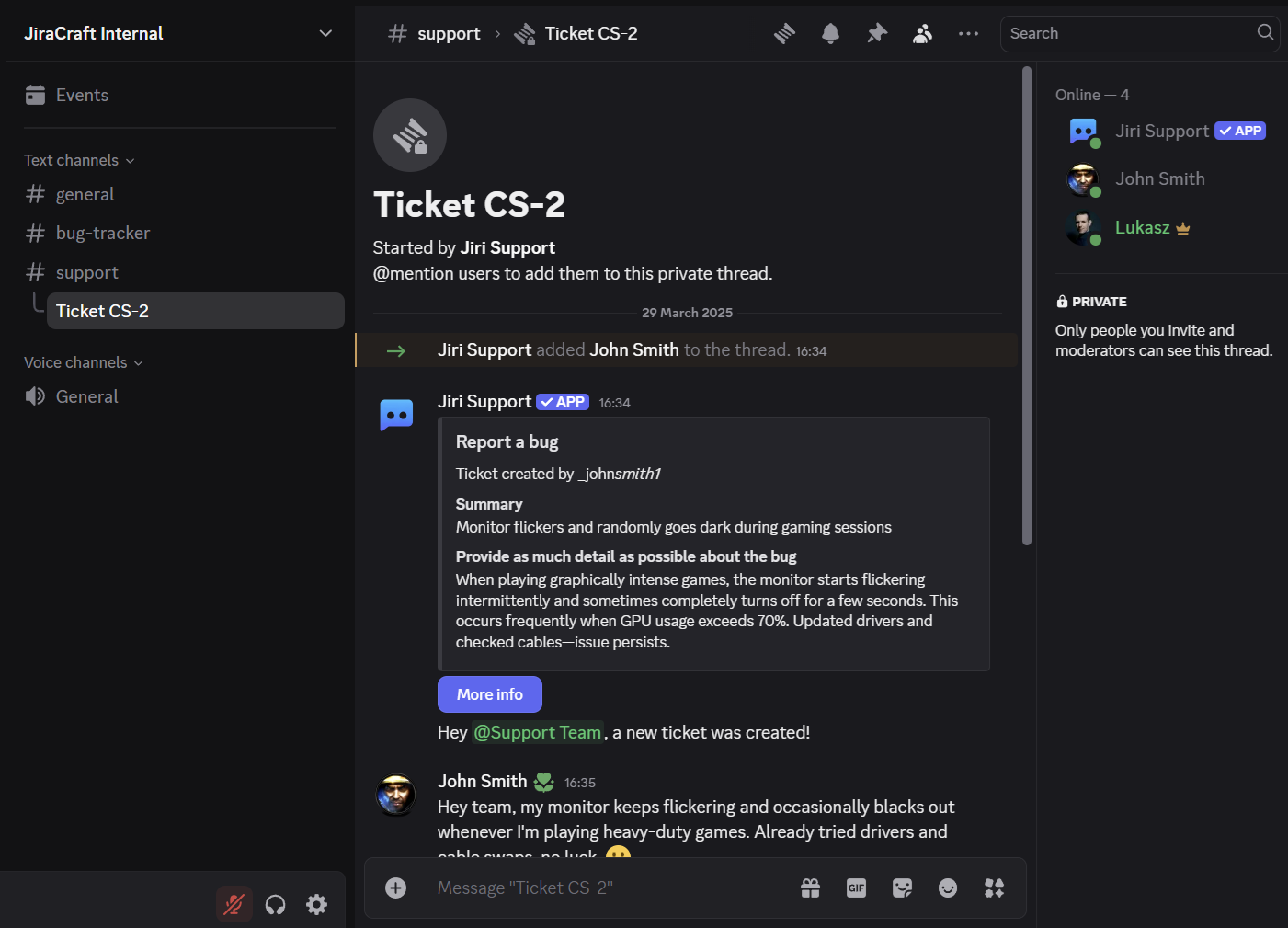
💬 Communicating in Ticket Threads
Your ticket discussion is where support chats with you:
- Private thread destinations are only visible to you, the support team, and the bot.
- Forum destinations are visible to members who can access that forum.
- You can easily reply, ask additional questions, or provide more details directly in the discussion.
🔄 Getting Updates
Stay informed automatically:
- You'll receive automatic updates directly in Discord whenever the support team comments or changes your ticket status. Everything you need is in your Discord ticket discussion.
📎 Adding Screenshots and Files
Need to share a screenshot or a log file?
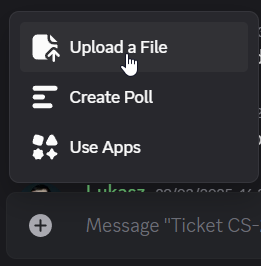
- Simply upload your files directly into the Discord discussion by using Plus button or by drag & drop.
- Our helpful bot ensures your attachments reach the support team, making it easier for them to assist you.
✅ Resolving Tickets
When your issue is resolved:
- Support will update your ticket status to "Resolved," and you'll see a friendly notification in your Discord ticket discussion.
- Threads may close automatically afterward to keep things tidy - no worries, that's normal!
If you have more questions, you can always reopen a discussion or create a new ticket.
🔍 Finding Past Tickets
Need to revisit an old ticket?
- Click the "Threads" button at the top of the support channel.
- Older or resolved ticket threads will be labeled clearly with your ticket IDs (e.g.,
SUPPORT-123).
🚨 Quick Troubleshooting
- Can't see ticket buttons or commands? Check with your server admins - they might need to enable these features.
- Having other issues? Reach out directly to your server admins or moderators - they're here to help!
Happy ticketing! 🎟️