
Fix License and Payment Issues
Having trouble with your Discord for Jira subscription, free trial, or renewal? This guide covers the common Atlassian Marketplace billing cases that can stop the app from renewing.
Discord for Jira can help you confirm the app and license state, but Atlassian manages Marketplace billing, quotes, payment profiles, and subscription conversion.
If Your Annual-Billing Trial Expired
Atlassian bills Marketplace apps on the same cycle as the Jira product where the app is installed. If your Jira site is billed annually, the end of an app trial behaves differently than it does on monthly billing.
- Monthly billing: If the billing account has a valid payment method and the trial is not cancelled, Atlassian can convert the app trial to a paid monthly subscription.
- Annual billing: The app trial does not automatically convert into the annual subscription. The trial expires, and a billing admin needs to add Discord for Jira through a quote or manual purchase with Atlassian.
If your annual-billing trial expired and Jira only offers another trial, contact Atlassian Purchasing & Licensing Support. Ask Atlassian to reactivate the app for purchase or prepare a quote for Discord for Jira.
When you contact Atlassian, include:
- Your Jira Cloud site URL.
- The app name: Discord for Jira.
- A note that the app trial expired on an annual-billing Jira site.
- The billing profile name or ID, if you know it or Atlassian asks for it.
Atlassian also documents that Marketplace app billing follows the parent Atlassian app billing cycle and that annual purchases can be handled through quotes. See Understand billing for Marketplace apps and Manage Atlassian quotes.
If Atlassian Cannot Process Your Renewal
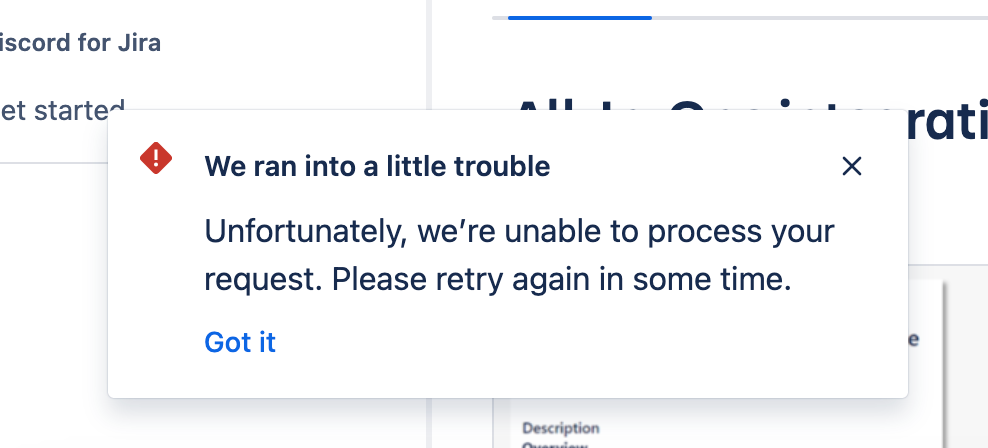
You may see this message when trying to renew or subscribe after a trial:
"We ran into a little trouble. Unfortunately, we're unable to process your request. Please retry again in some time."
This usually points to an Atlassian licensing, quote, or payment setup issue rather than a problem inside Discord for Jira.
How to Contact Atlassian
-
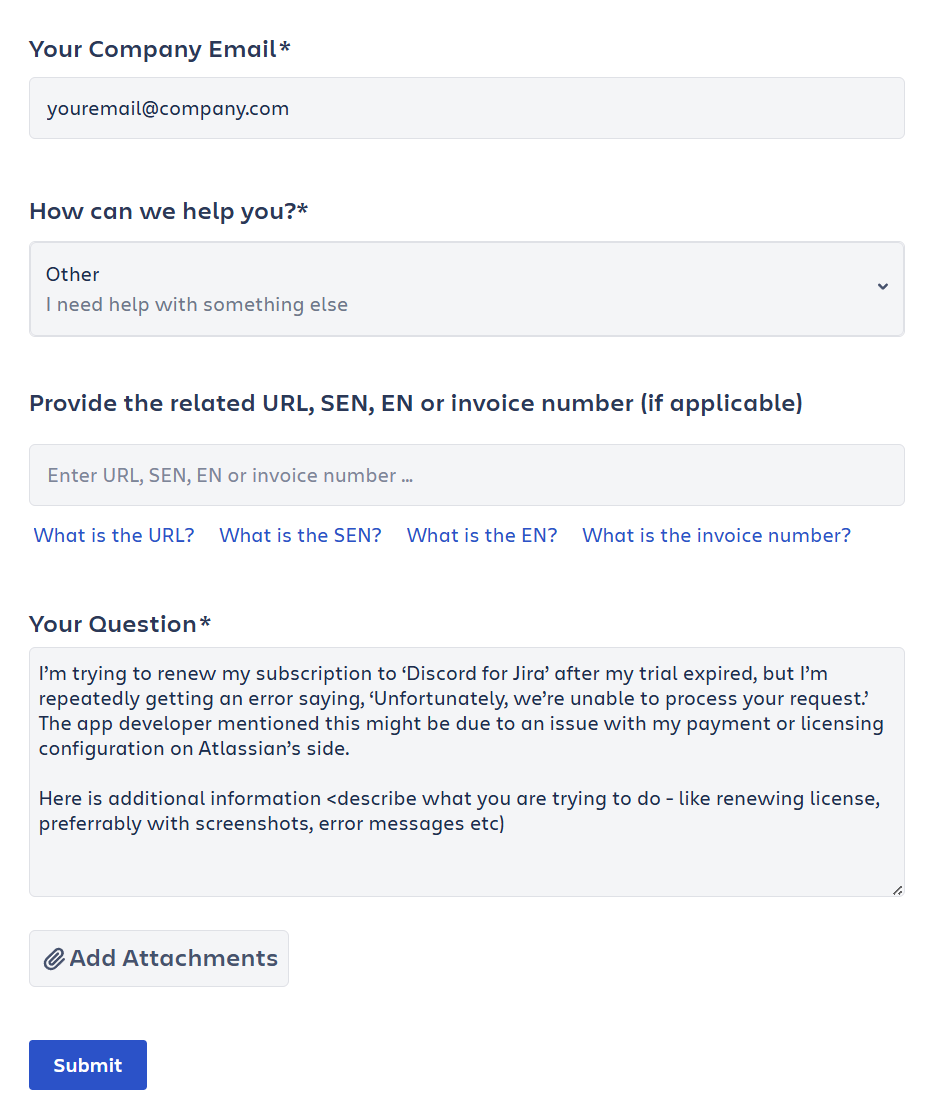
If you are not logged in, select "I'm a customer" and log in, or choose "Continue without logging in".
-
Under "How can we help you?", choose "Other".
-
Explain the problem. For example:
"I'm trying to renew my subscription to Discord for Jira after my trial expired, but Atlassian is not letting me complete the purchase. The app developer said this may require Atlassian to review my Marketplace billing, quote, or payment configuration."
-
Submit the request. If Atlassian shows self-help resources first, scroll to the bottom and choose "Need more help?".
Need Extra Help?
If Atlassian asks for app-side confirmation, or you are not sure whether the app is installed correctly, contact us through the Discord for Jira Community.