
JQL Filters for Notifications
Use Jira Query Language (JQL) to target exactly which issues should trigger notifications. Copy, tweak, and test these examples.
Deleted events do not support custom JQL. Use a project-wide channel rule with an empty JQL filter for deletions. Keep a separate rule when Created or Updated notifications need filtering.
Quick examples and reference
| What you want | Your JQL |
|---|---|
| High priority only | priority in (Highest, High) |
| Bugs only | issuetype = Bug |
| Track specific labels | labels in ("frontend", "urgent") |
| Status is In Progress | status = "In Progress" |
| Assigned to my team's component | component = "Backend" |
| Current sprint | Sprint in openSprints() |
| Assigned to a person | assignee = "john.doe" |
| Unresolved bugs | issuetype = Bug AND resolution = Unresolved |
| Customer-labeled issues | labels in ("customer") |
| Critical bugs only (combined) | priority in (Highest, High) AND issuetype = Bug |
| Current sprint and assigned | Sprint in openSprints() AND assignee IS NOT EMPTY |
Test your JQL
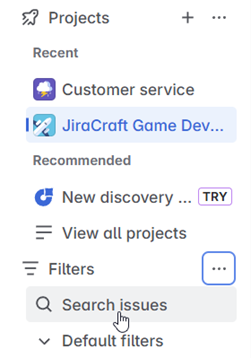
- In Jira, go to Filters → Search issues.
- Switch to JQL mode.
- Paste your JQL and click Search.
📖 Need more help? See Atlassian's official guide