
Create Tickets
Need help from your friendly support team? No worries - now you can raise tickets right from Discord. No Jira hunting required! 🥳
Here's how it works (super easy, promise):
📌 Option 1: Use the Ticket Panel Buttons (Easiest!)
If your server admins set up a ticket panel (fancy word for "buttons you click"), you're in luck! Look for something like this in your Discord channel:
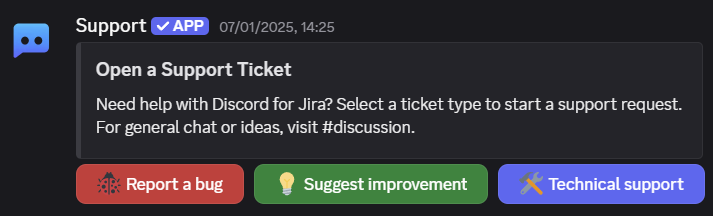
Click the button that best matches your issue - like Report a Bug if you found something fishy 🐟.
Discord will open a quick form:
- Type in the details requested (summary, description, your cat's name... okay, maybe not the last one).
- Select fields show dropdowns with the valid options.
- Hit Submit!
Boom! Your ticket is created, and you get a cozy Discord thread to chat directly with support. 🎉
💬 Option 2: Using the /ticket Slash Command (Also easy!)
Prefer typing? We've got slash commands for you:
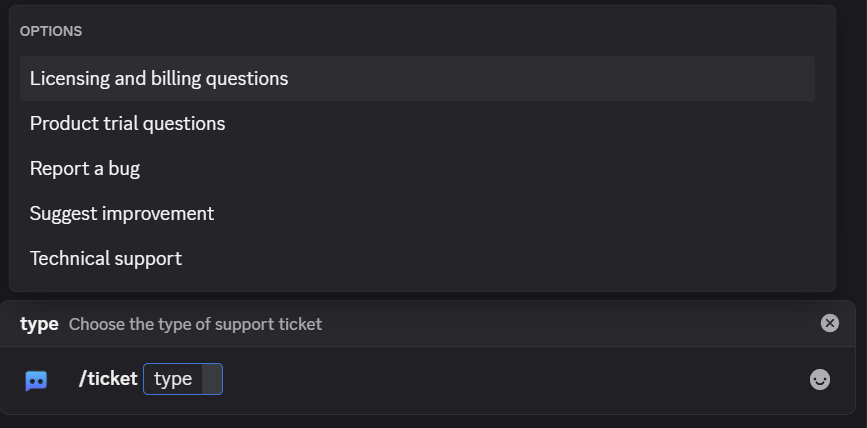
- In the support channel (like
#support), type/ticketand hit Enter.
-
Choose the request type from the dropdown, like Technical Support or Report a Bug.
-
Fill out the quick form that pops up (just like above), and hit Submit.
You're done! A ticket is created and a private Discord thread opens.
✅ After Submitting Your Ticket
Here's what happens next:
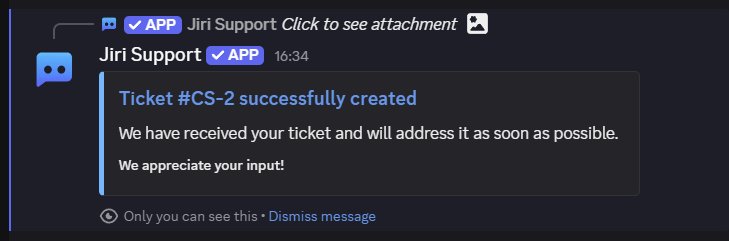
- You'll immediately get a confirmation message with a ticket ID, like
SUPPORT-123. Fancy, huh?
- Discord creates a private thread (just you, the support team, and the helpful bot). Perfect for chatting about your issue.
- The thread starts with a ticket details card showing your submitted fields and any uploaded attachments.
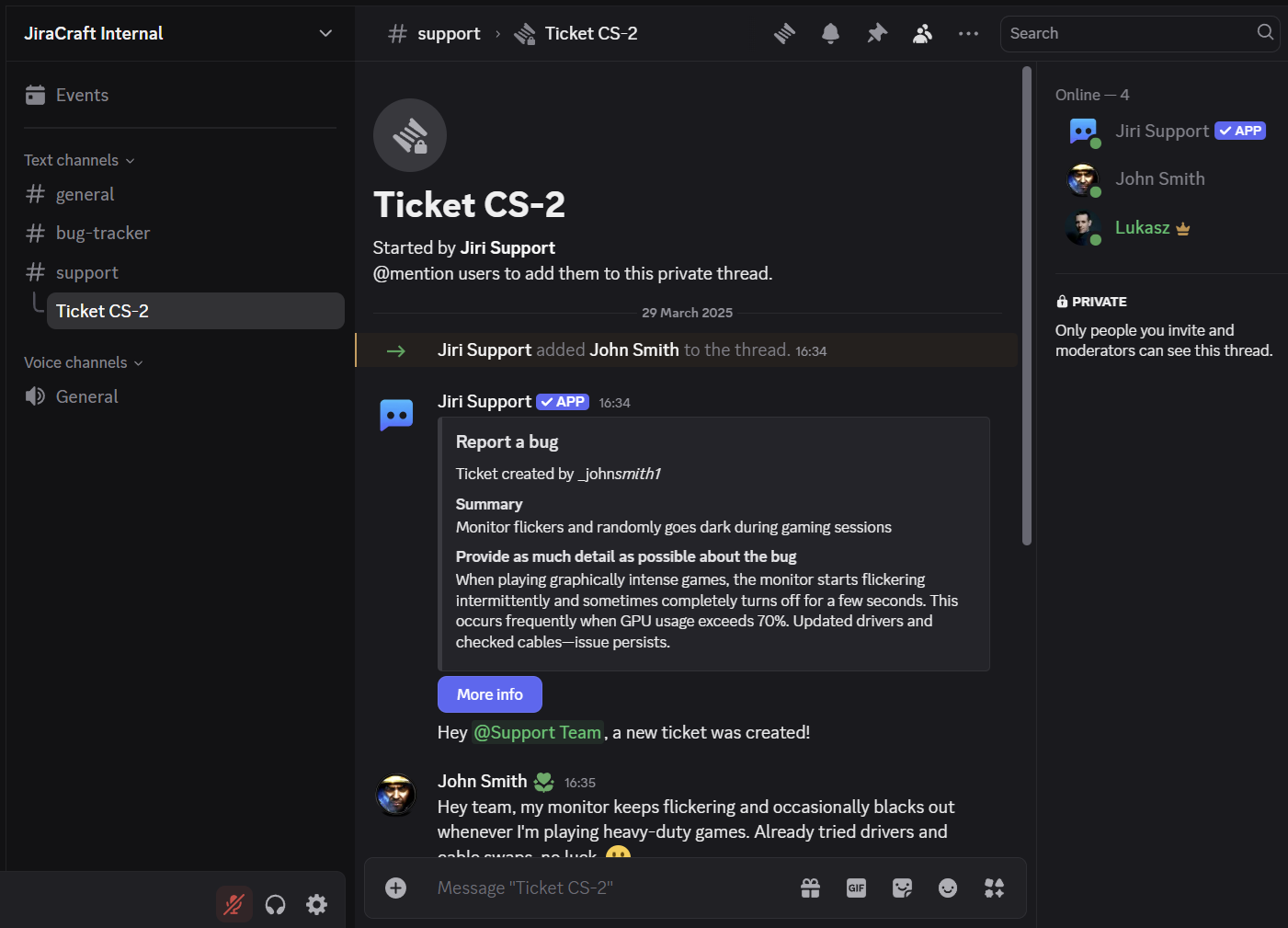
- Keep an eye on the thread for updates or additional questions from support - no need to refresh Jira endlessly.
🔒 Privacy, Please!
Your ticket threads are private:
- Only you, the friendly support folks, and the trusty bot can see what's going on.
- Rest easy - your ticket details stay safe and private.
🙋 Quick Troubleshooting
-
No ticket panel buttons?
Ask your server admins - maybe they forgot to set it up (it happens!). -
Ticket type unavailable?
If you see "This ticket type is no longer available," ask your admin to update the ticket panel or /ticket settings. -
Slash command not working?
Double-check you're in the right channel (#supportis usually a safe bet).
Still stuck? Swing by our Discord for Jira Community - we love solving puzzles!
Next Steps
- Create tickets from messages — Turn any Discord message into a ticket with AI preview.
Happy ticketing! 🎟️