
Fix JSM Service Desk Permissions
Having trouble with Jira Service Management (JSM) in Discord for Jira? Getting "app doesn't have access" errors when trying to create tickets or view queues? This guide helps you fix Service Desk permission issues.
Problem with Jira Service Management permissions
If you see a message like this one below:

It means that Discord for Jira application doesn't have access to your Jira Service Management product. Some changes to Jira groups usually cause it. What you can try to do to fix it is following:
- Go to user management in Jira.
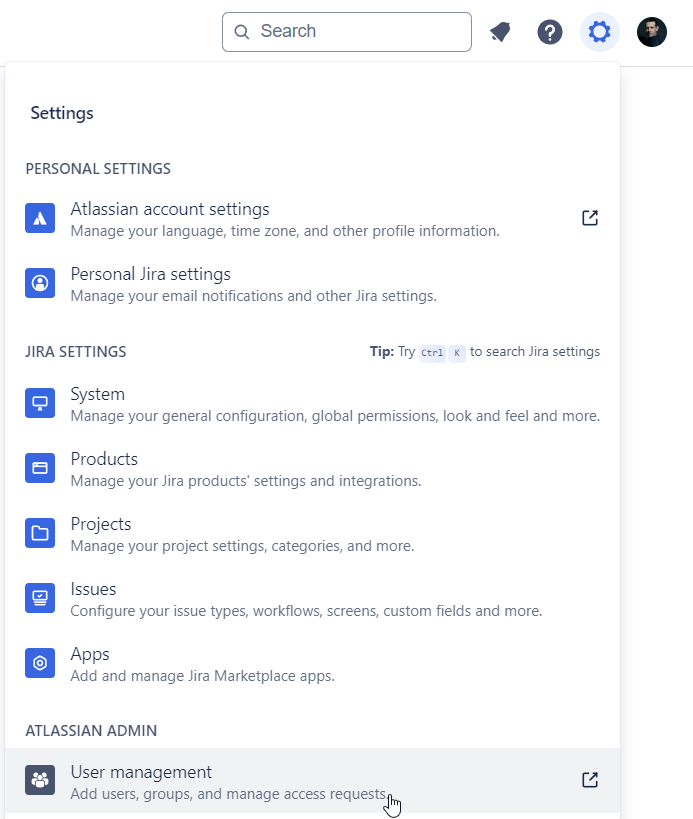
- Navigate to groups.

- Navigate to one of groups that were displayed in the error message (these are groups that Discord for Jira application is member of).
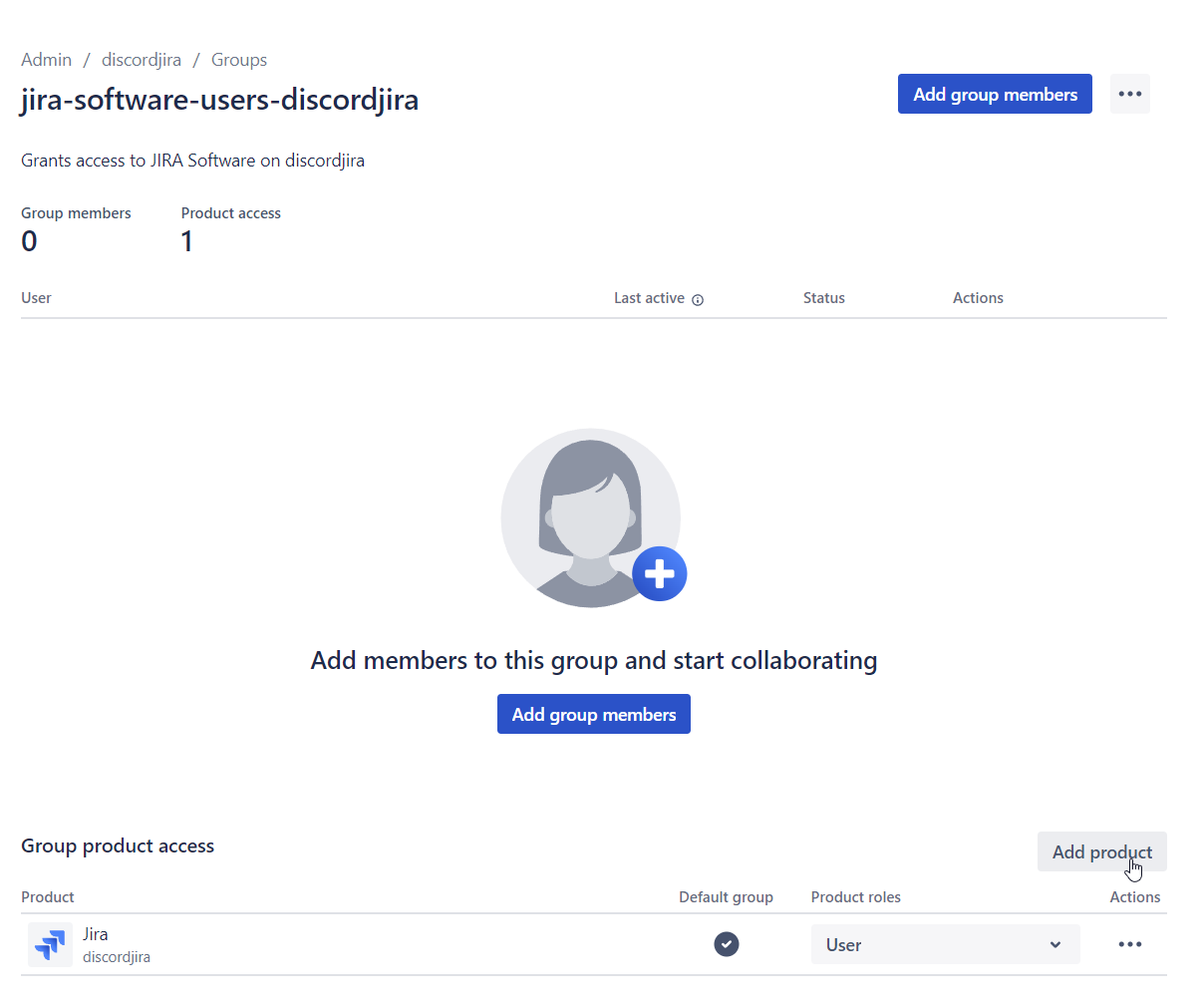
- Add Jira Service Management product to the group. Do this by clicking on the
Add productbutton, selecting Jira Service Management with "User" role and clickingAdd.

After you do this, you should be able to use Discord for Jira application again.