
Fix Project Permissions Error
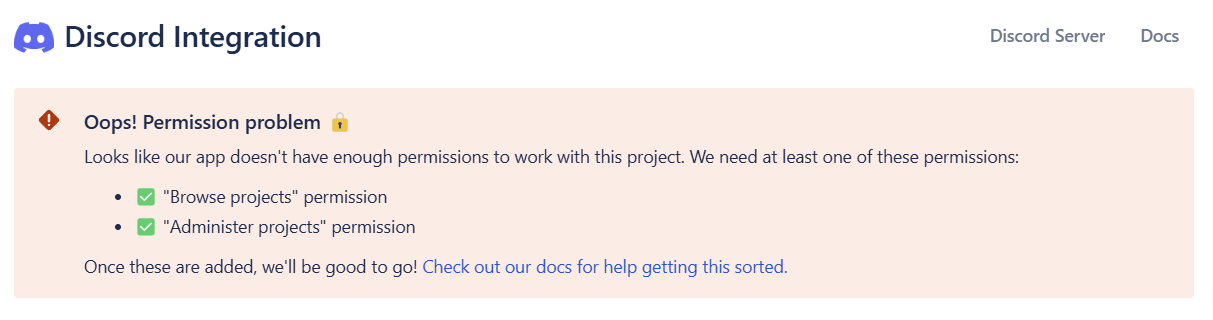
Getting a "Permission problem" or "access denied" error when trying to connect your Jira project to Discord? Can't see your project in the Discord integration settings? This guide shows you how to fix project permission issues quickly.
📋 Before You Start:
- Jira Project Admin rights
- 2 minutes, tops
So you're about to connect your Jira project to Discord, but Jira's already giving you an "Oops! Permission problem" error? 😅 Relax - we've got you covered. Here's how to clear up Jira's permission anxiety quickly and painlessly.
Step-by-Step: Fixing Permissions in Jira
1. Head to Project Permissions
In your Jira project:
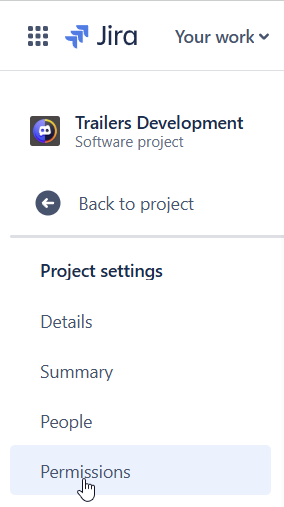
- Click the project's sidebar.
- Select Project settings → Permissions.
2. Identify the Missing Permissions
That pesky error means our app needs one of these:
- "Administer Projects" or
- "Browse Projects"
3. Grant Permissions
Here's the quick fix:
- Scroll down to either Administer Projects or Browse Projects.
- Click Update next to your chosen permission.
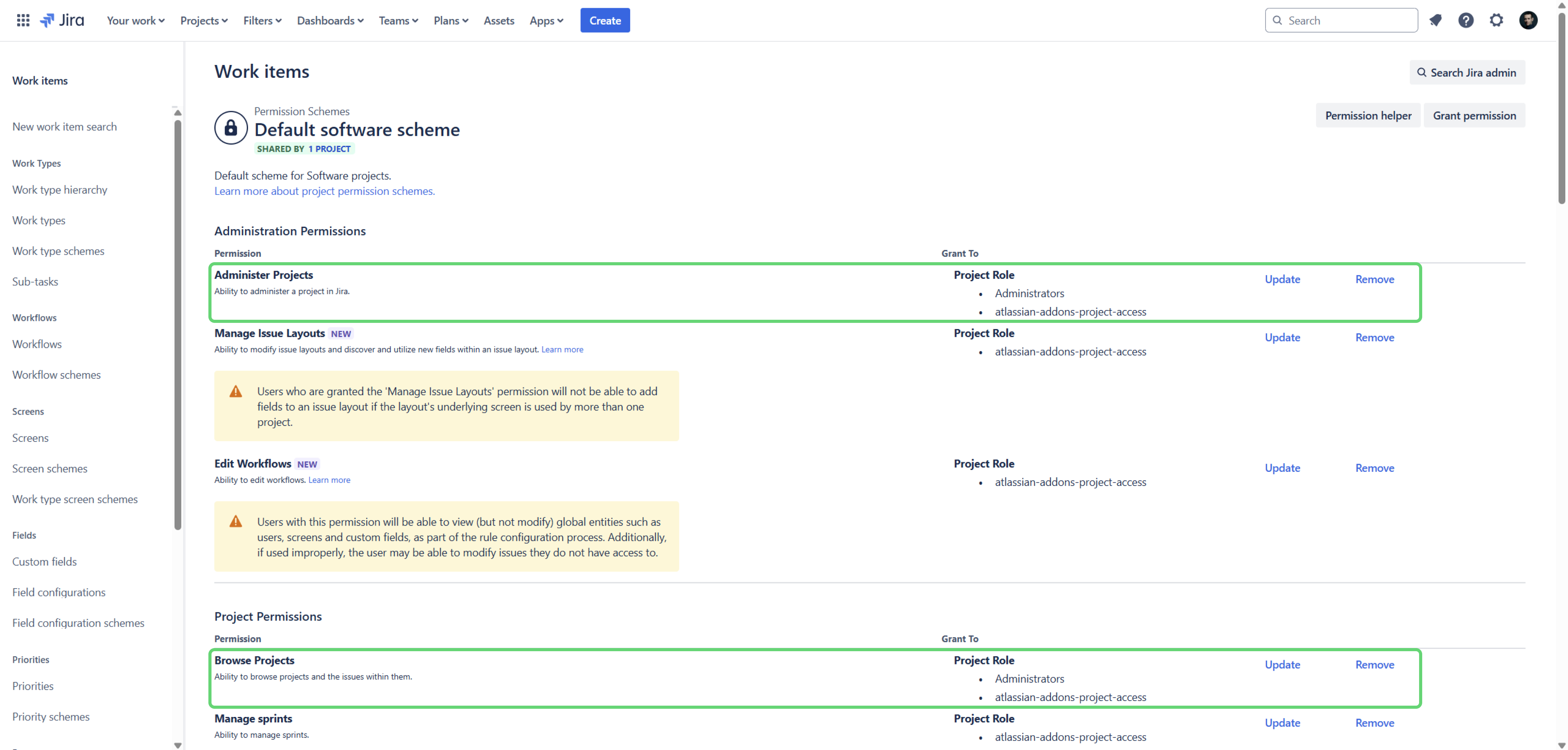
- Add the
atlassian-addons-project-accessrole (this is a shared role used by all Jira integrations). - Save your changes. Boom! You're done.
💡 Quick Fact: For basic integration, "Browse Projects" permission usually does the trick. However, the app might also require additional permissions like those in Issue Permissions or Attachments Permissions to fully function - especially if you're creating issues directly from Discord. Giving "Administer Projects" automatically grants all necessary permissions in one go.
4. Check Your Work
Head back to the Discord integration settings in Jira, refresh the page, and check if that annoying "Oops!" is history. If it's gone, congrats - you've officially fixed Jira! 🎯
If it's still there, double-check:
- You edited the correct project's permissions.
- You definitely added the
atlassian-addons-project-accessrole.
Still stuck?
Swing by the Discord for Jira Community - we're always happy to help with weird permission issues (it's kind of our thing).