 Discord for Jira
Linked Discord member · Enabled named form
Create a Jira issue from a message
Review a private draft in Discord before creating the Jira issue.
Before you start
Link your Jira account. Ask a Jira admin to enable Create Jira issue for Discord messages.
- Create issueUse a complete preview as it is.
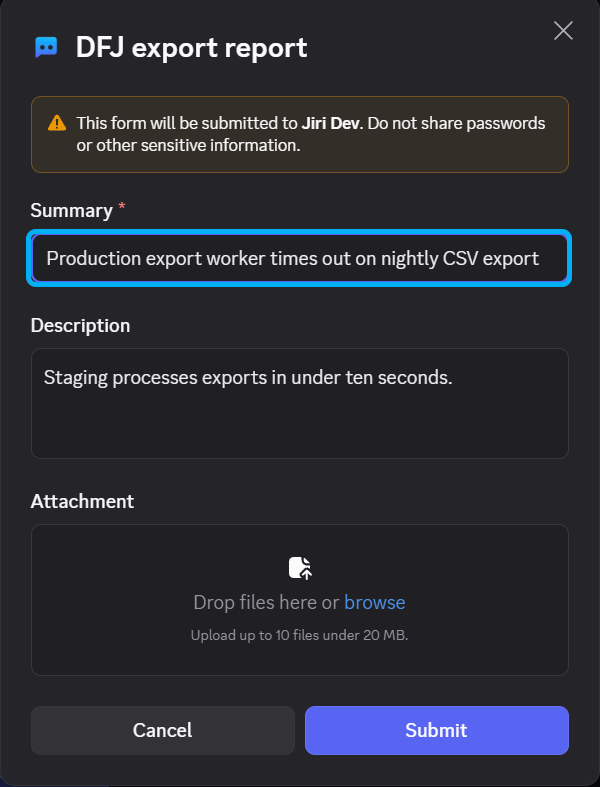
- Review & EditOpen the form to change the draft before submitting.
- Add missing detailsComplete fields that the preview could not fill.
Create the issue
- Open the Discord message menu and choose Apps → Create Jira issue. Select a form if Discord asks.
- Choose a Jira project or issue type if asked. Read the suggested title and description. The draft can draw on nearby messages by the same author and supported files from the original message.
- Select Create issue to use the draft as shown, or Review & Edit to change it. If Discord asks for required fields, select Add missing details. Select Open issue form if Discord offers it.
- If you opened the form, select Submit when ready. Discord replies privately with a Jira link and any private discussion created for the issue.
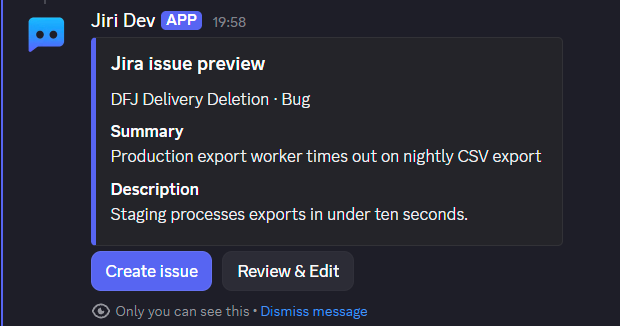
When Change issue type is available, use it to choose another allowed destination. Read the new preview before submitting. The new issue type may require different fields.