 Discord for Jira
Linked Jira and Discord member
Post a Jira issue card in Discord
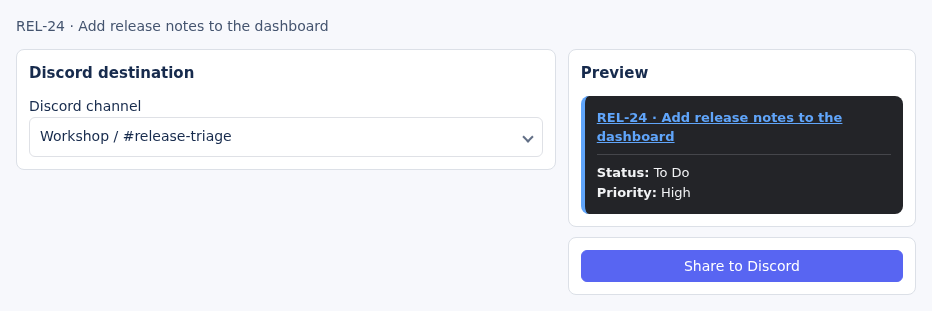
Preview what the channel will see before you post the Jira issue card.
Post the card
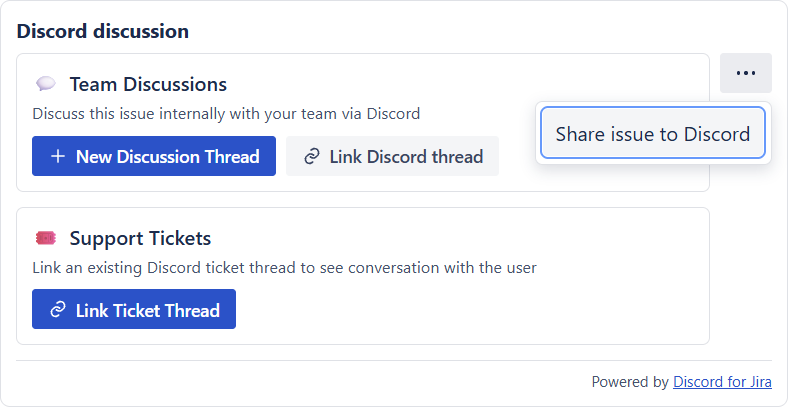
- Open the Jira issue’s Discord panel, open the ⋯ menu, and select Share issue to Discord.
- Choose a Discord channel and check the preview. It can show the issue title and link, status, and priority.
- Select Share to Discord. Use Open Discord message to confirm the post.
You need access to the Discord channel from your linked account. The Jira project must allow discovery, and the selected issue must be safe to show in that channel. Refresh the preview if the issue or destination changes.