 Discord for Jira
Jira site or project admin
Check whether a Jira notification was sent to Discord
Tell whether a rule evaluated, sent a message, or needs repair.
- Latest outcomeFailed.
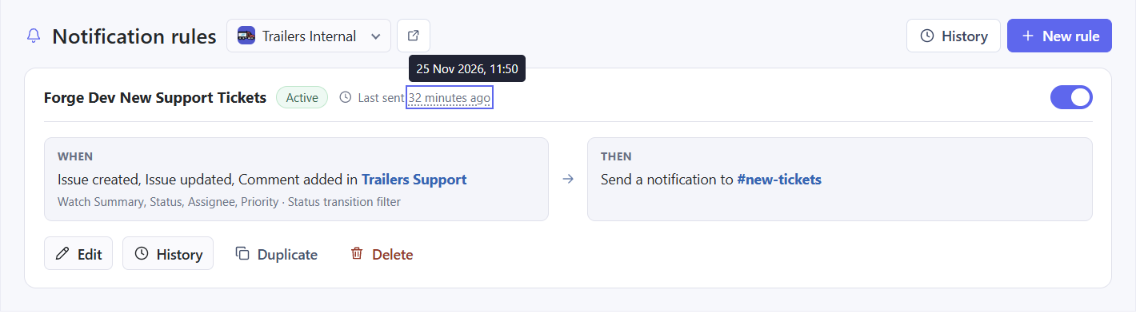
- Last sent9:04 AM, from the previous successful send.
Read the rule card
Latest outcome tells you how the most recent completed live run ended. Last sent tells you when a message last arrived successfully. A later failure leaves the last successful time visible. Hover over the time or focus it with the keyboard to see the exact timestamp.
Inspect the run
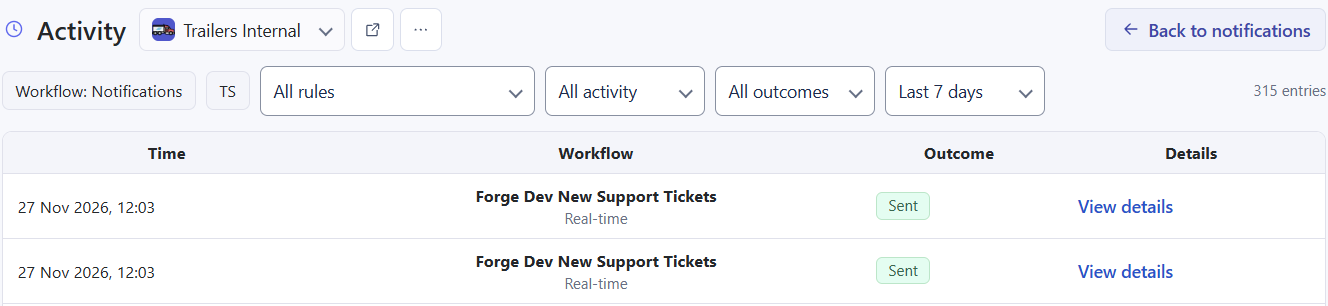
- Open History on the rule or Delivery history above the rule list. In Activity, find the run by time and select View details to see its outcome and any Discord links or errors.
- If Discord access is missing, use the reason to repair it. Recheck permissions from the rule where offered.
- If the outcome is Unconfirmed, check the Discord channel, thread, or DM before trying again.