 Discord for Jira
Jira Automation author with a linked account
Open a Discord thread from Jira Automation
Use the DFJ action in a native Jira Automation rule.
Add the Jira action
- In Jira Automation, add Create or reuse a linked Discord discussion. Connect the Atlassian account you linked to Discord.
- For Work item, use the current issue key or a smart value such as
{{issue.key}}. Select the Discord destination. The Jira project needs issue discussions enabled for that server. - Save the rule, trigger it with a test work item, and read the action result in Jira’s audit log.
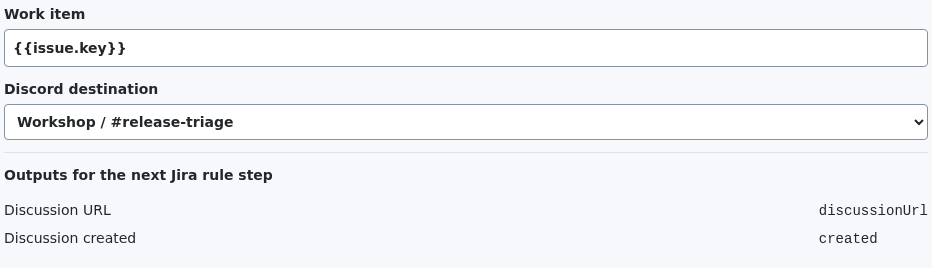
- discussionUrlTake the user to the Discord discussion.
- createdDistinguish a newly created discussion from a reused one.
Use the result
With the default output name, {{createdDiscordDiscussion.discussionUrl}} is the Discord link. {{createdDiscordDiscussion.created}} is true for a new discussion and false when the action reuses one. Use these values in a later Jira Automation action.