 Discord for Jira
Jira site or project admin · Integration author
Make your first API request
Create a Read key and check which servers and Jira projects it can read.
- Create a Read keyChoose the Jira site or project scope.
- Call GET /serversUse the API base shown in Jira.
- Check the resultConfirm the expected connected server appears.
Create a Read key
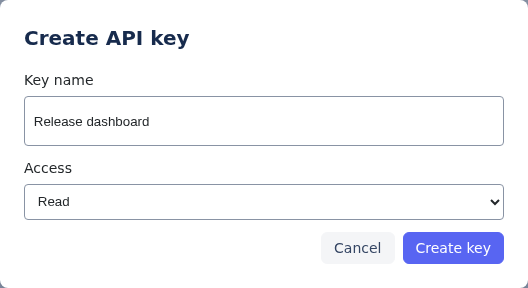
- Open API in the Jira site or project whose workflows the script will read. Select Create key.
- Enter a name, select Read, and use Copy key to store the value in your integration’s secret store. The complete value is shown once.
- Set
DFJ_API_BASEto the value from Copy URL in the API tab’s Make your first API request section and loadDFJ_API_KEYfrom your secret store. Use Copy command to run this request and confirm the expected servers appear.
curl "$DFJ_API_BASE/servers" -H "Authorization: Bearer $DFJ_API_KEY"
Manage access
Use a Manage key for workflow mutations and panel publication. To rotate a key, create a replacement, verify that the integration can use it, then select Revoke on the old key. Use the matching OpenAPI reference for endpoint schemas and error responses.
Discord for Jira API reference · Manage workflows with the API · OpenAPI JSON